Funny Google Tricks Im Feeling Lucky 2018
What is I'm Feeling Lucky Button?
Most of us do not notice an additional button on Google homepage named as "I'm Feeling Lucky". When you type the keywords and click on this button Google will directly go to the webpage of the first result. This indicates that the user is feeling lucky to get what he was searching for. According to Wikipedia, this button cost Google $110 million a year as 1% of search results bypass the results page thus not viewing advertisements.
You can hover the mouse over the button to see it starts spinning with different options. Depending upon the result, you can click and view the results. On some cases, like "I'm Feeling Wonderful" or "I'm Feeling Artistic", it will directly go to the webpage of Google Arts & Culture. However, you will still see the normal search results page for some cases like "I'm Feeling Adventurous".
I am Not Seeing the Button?
With Google changing the searching method frequently, there are few reasons you may not see the i'm feeling lucky button.
First reasons is that when you type the keywords, Google will show predictions hiding the i'm feeling lucky button. In order to use these tricks, don't select the result from the predictions. You should type the keyword and click on the "I"m Feeling Lucky" button.
Second, Google introduced instant search function and made it default. Basically when you start typing keywords, the search box will move to up and the buttons will disappear. This way less number of people will use "I'm Feeling Lucky" option and hence more advertisement revenue for Google. Still you can view the option in the dropdown when you are typing the keywords as shown below:

Complete List of I'm Feeling Lucky Tricks
When clicking on "I'm Feeling Lucky" link or button, the first website on the search results will open automatically. This means they are third party sites and not owned by Google. Though, you will see Google Search page in most cases they are meant for fun and not real Google Search. However, most of those pages work when you search with keywords using Google Custom Search. In some cases, you will see the message like "Sorry, Google Search API has been shutdown…".
| Keyword | Lucky Search Result |
| Google Gravity | Elements fall in gravity |
| Google Anti Gravity | Elements behave like anti gravity |
| Google Sphere | Elements rotate like sphere |
| Google Epic | Grow bigger |
| Weenie Google | Shrink smaller |
| Google Tilt | Tilted Google Search page |
| Funny Google | Opens funny search page |
| Google Pacman | Play pacman game |
| Do a Barrel Role | Rotate the page |
| Rainbow Google | Google rainbow search |
| Google Underwater | Underwater search |
| Google Mirror | Mirrored elements |
| Recursion | Did you mean: wrong suggestion |
| Google Loco | Same as Google Gravity |
| Annoying Google | Opens the page with annoying search |
| Ninja Google | Opens ninja Google search page |
| Google Snake | Play snake game |
| Google Energy Saving | Take you to energy saving search page |
| Zeng Rush | Falling balls game break the results one by one |
| Find Chuck Norris | Opens funny Chuck Norris search page |
| Google Klingon | Official Google Search Klingon page |
| Google Song | Opens Youtube song about Google |
Top 10 I'm Feeling Lucky Google Tricks
Though this option cost heavy for Google it's fun to use and has lot of tricks. Below are the top 10 I'm Feeling Lucky tricks, try it out yourself and have fun.
1. Google Sphere
Type google sphere in the search box and click on the "I'm Feeling Lucky" button. You will be landing on a results page and moving the mouse will trigger a tag cloud rotating like a sphere on the screen.

2. Google Gravity
Do you want to see how things fall down when there is no gravity? Type google gravity and hit the i'm feeling lucky button. You will see the whole screen is breaking and the elements are falling down as if there is no gravity.

3. Rainbow Google
Want to see a Google with rainbow colors. Type rainbow google and hit the luck button. You will see a rainbow Google search page like below.

4. Google Loco
Similar to "Google Gravity" you will see all the elements on the page are falling down without gravity. The result will go to the same experimental page of Google Gravity.

5. Google Epic
Type google epic and hit the lucky button. The elements on the results page will grow bigger and excessively.

6. Google Pacman
You will be knowing that you can play T-Rex dinosaur game in Chrome when there is no internet connection. Do you know that you can also play Pacman when bored? Type google pacman and click on the "I'm Feeling Lucky" button. You will directly land on a github page and start playing the Pacman game on the browser window.

7. Google Mirror
Type google mirror and hit lucky button to see the mirror Google site with everything is mirrored like below.

8. Do a Barrel Roll
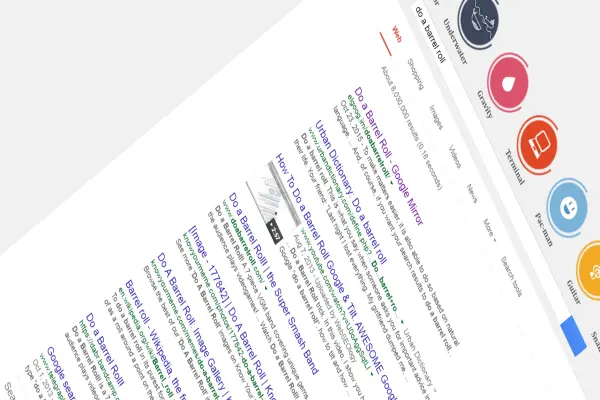
This is a fantastic one among all. You can type do a barrel roll and click the lucky button to rotate the whole screen like a roller.
9. Google Underwater
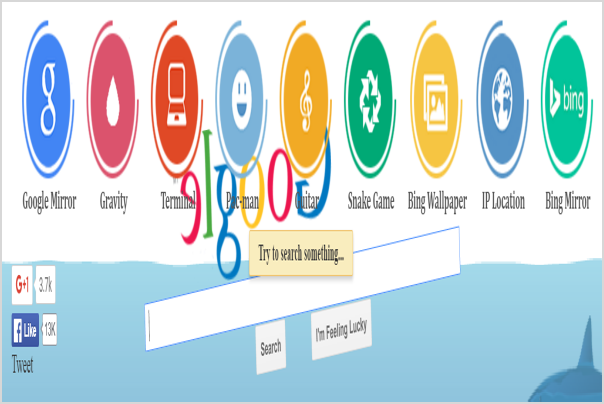
Do you want to use Google Search under the water? Try google underwater and hit the lucky button. You will see the Google search box underwater.
10. Recursion
This fun works with normal Google Search. Generally, Google will suggest a correction when you typed keyword with spelling mistake. There is one exception word that Google will show "Did you mean:" suggestion though it's a correct word. Type recursion and hit enter or normal "Google Search" button. Google will show you "Did you mean: recursion" option. Clicking the suggestion will not remove that message, it will load again on the search results.

Well, the list goes on and many new tricks are available in recent days. You can try any keyword with Google as prefix or suffix to have fun.
calderonefolown60.blogspot.com
Source: https://www.webnots.com/top-i-am-feeling-lucky-google-tricks/
0 Response to "Funny Google Tricks Im Feeling Lucky 2018"
Post a Comment